What 'multimodal' really means in consumer AI apps
Every AI assistant launch carries the word 'multimodal.' Here's what it actually changes about the experience, where it works well, and where it still embarrasses itself.
By Jordan Reeves, Insightful AI Desk
Every major AI assistant launch over the last two years has carried the word multimodal somewhere in the announcement. ChatGPT can “see” images. Gemini can watch a video. Claude can read a PDF with diagrams in it. The headline is consistent: the model accepts more than text. The practical answer to “what does that actually do for me?” is messier than the headline suggests, and the messiness is where most of the interesting design choices hide.
This piece walks through what multimodal means in the consumer AI products you actually use, where it works well, where it still embarrasses itself, and what choices vendors are making behind the scenes that explain the difference.
What “multimodal” actually means
The technical definition is straightforward. Multimodal learning is “a type of deep learning that integrates and processes multiple types of data, referred to as modalities, such as text, audio, images, or video.”
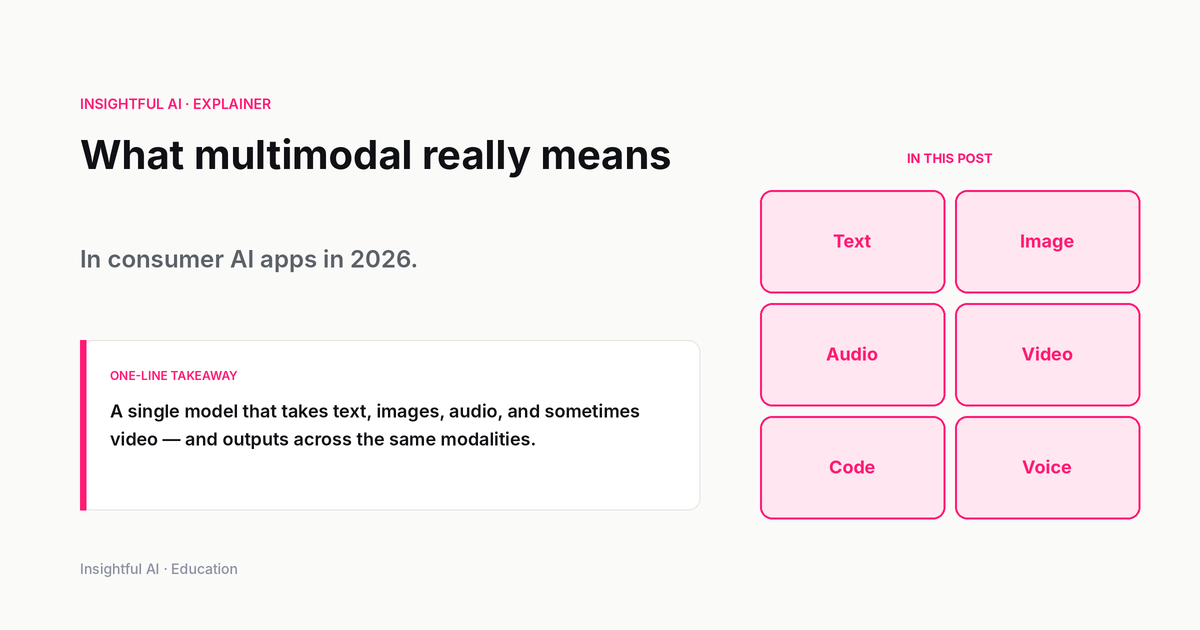
The standard list of modalities a modern AI product might accept includes text (the baseline), images (photographs, screenshots, charts, diagrams, handwritten notes), audio (voice input, music, environmental sound), video (short clips, usually treated as a sequence of frames plus an optional audio track), and documents (PDFs, slide decks, spreadsheets, technically multimodal because they combine text with embedded images and structural layout the model has to read).
What most consumer-facing announcements actually mean by “multimodal” is that the model can accept and reason about at least one non-text modality alongside the user’s text prompt. The output is usually still text (or sometimes generated images, which is a separate capability). The asymmetry matters: a model that reads an image and writes a description of it is multimodal in a different way from a model that generates an image from a text prompt. Both are useful. They are different products.
How the model “sees” an image
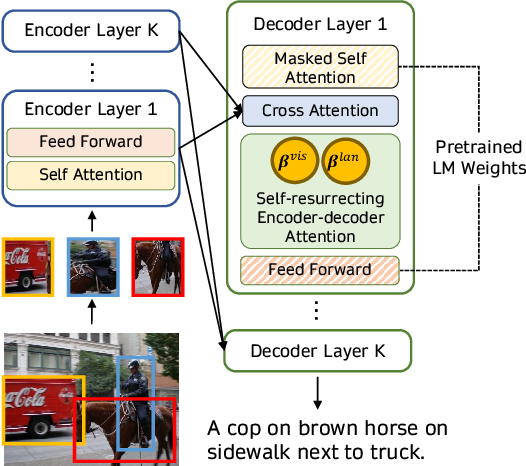
Inside the model, images do not arrive as pixels. They are processed by a vision encoder, itself a neural network, that turns the image into a sequence of numerical tokens conceptually similar to the tokens the model uses for text. Those visual tokens get mixed into the same context window as the text tokens, and the model’s attention mechanism treats them as part of the same conversation.
Several architectural patterns dominate the literature, and the Wikipedia article on multimodal learning describes the two most common.
Early fusion. Embeddings from multiple modalities are combined into a single input representation, and the model is trained on the combined embeddings from the ground up. This is the approach that integrates modalities most tightly. The trade-off is that early-fusion models are expensive to train and harder to update one modality at a time.
Intermediate fusion. Each modality is first processed by a modality-specific encoder, then the resulting representations are combined. Cross-attention is the typical mechanism that lets text tokens and image tokens interact. This is the more common pattern in modern systems because it is more modular. The team can swap out the image encoder without retraining the language model from scratch.
Which approach a given product uses shapes how it behaves. Tightly-integrated early-fusion systems tend to perform better on tasks that require deep cross-modal reasoning, such as counting objects in a photo or reading a chart accurately. Intermediate-fusion systems are easier to extend and update but sometimes feel as though they are running two separate models that are talking to each other through an interpreter.
What multimodal does well in 2026
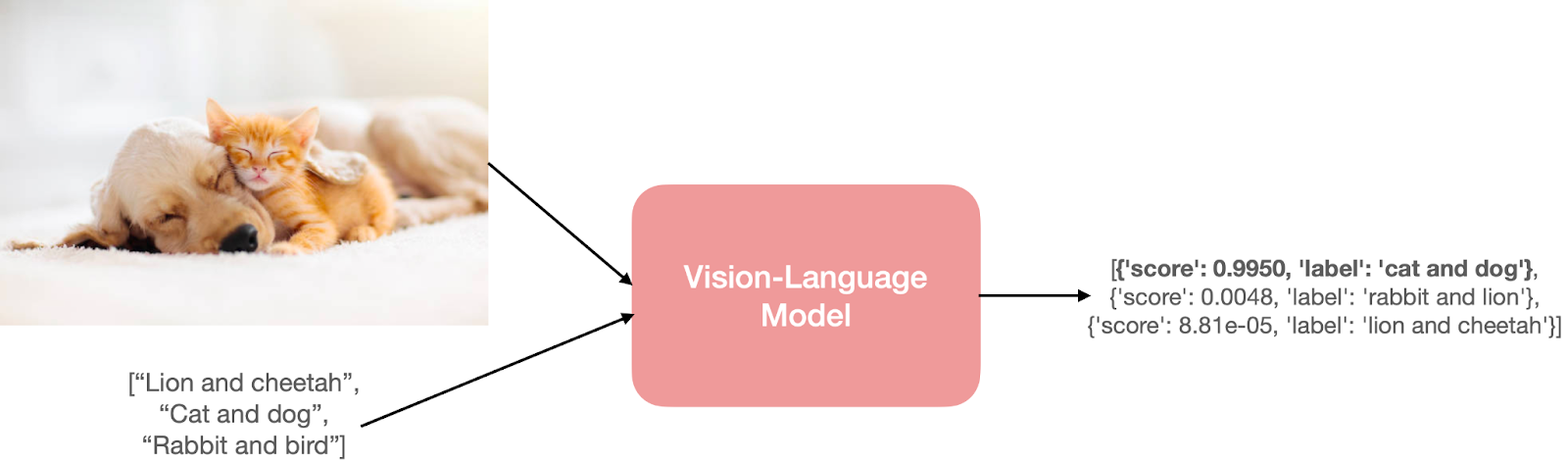
After several generations of consumer multimodal models, a stable cluster of use cases works well enough to recommend without caveats.
Describing an image. “What is in this picture?” is reliable. Modern models identify objects, people, scenes, text in the image, and obvious context. For accessibility tools that generate alt text from photographs, this is genuinely useful.
Reading text inside images. Screenshots, handwritten notes, photos of receipts, photographs of book pages: modern models do optical character recognition well enough that it has effectively absorbed the OCR workflow into general chat. Accuracy is not perfect (handwriting in particular can fail in funny ways), but it is good enough for most everyday tasks.
Reading documents. Uploading a PDF and asking questions about it is one of the cleanest wins. The model handles the layout, picks out the relevant sections, and produces answers that cite specific pages. This is the workflow many knowledge-worker users have quietly built their day around.
Reading charts and tables. Bar charts, line charts, screenshots of spreadsheets: the model can usually extract the values, identify the trend, and answer follow-up questions about the data shown. Accuracy varies with chart quality. Clean labelled axes work; low-resolution screenshots of dense tables sometimes do not.
Visual question-answering for tasks with a clear right answer. “Is this a tomato or a bell pepper?” “What kind of car is this?” The model gets these right far more often than not, and is usually willing to flag uncertainty when present.
What it still misses
An equally stable cluster of failure modes is worth knowing.
Precise spatial reasoning. “Where exactly is this on the map?” or “How many millimetres tall is this object next to this ruler?” tends to produce confident, plausible-sounding answers that may be quite wrong. The model reasons at the level of relationships in an image, not precise coordinates.
Reading dense or unusual visuals. Architectural floor plans, complex engineering diagrams, niche scientific figures, music notation, mathematical proofs: the model may produce a response that looks competent but contains specific errors that domain experts spot immediately.
Subtle visual differences. “Which of these two screenshots has the bug?” or “What changed between these two photos?” depends heavily on what kind of difference is being asked about. Salient changes get caught; pixel-level or layout-precision changes often do not.
Counting at any scale. Counting the number of people in a crowd, the number of items on a shelf, the number of stars in a sky photograph: reliably one of the weakest categories. The model returns a number. It is just not always the right one.
Audio specificity. Voice input has improved dramatically, but identifying specific speakers, transcribing rare names, and following the tonal nuances of speech is still uneven. Models will return a confident transcription where, in earlier generations, they would have asked for clarification.
The pattern across those failure modes is consistent. The model is fluent and produces a clean answer, but the precision of the underlying perception is lower than the confidence of the prose suggests. The single most useful habit when using a multimodal model is to ask it a follow-up question that requires the same answer it just gave to be right.
The major model families
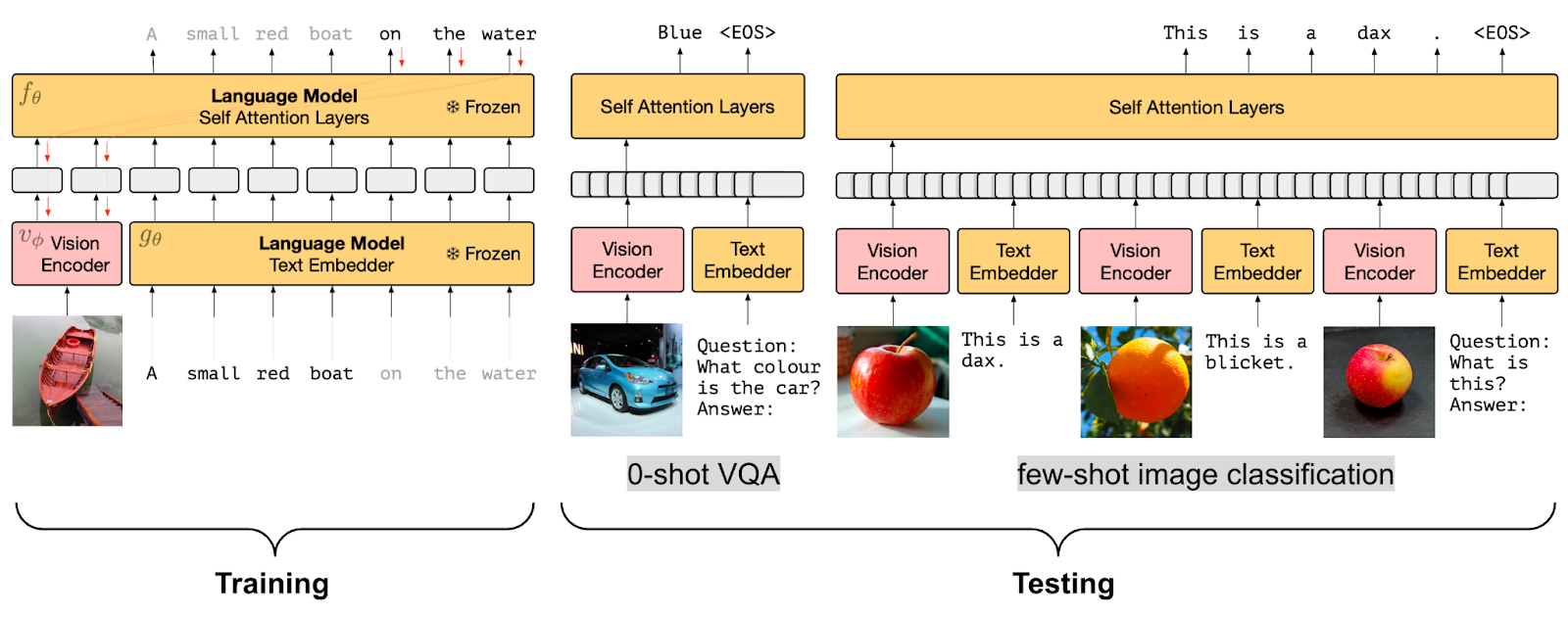
The Wikipedia entry on multimodal learning lists several seminal model families. Each consumer product is built on something from this lineage.
CLIP (Contrastive Language-Image Pretraining). An early influential approach that trained an image encoder and a text encoder to embed both into the same vector space. Most modern image-aware models trace back to ideas in this lineage.
Flamingo. A vision-language model using cross-attention to combine pretrained image and text encoders. A paradigmatic intermediate-fusion architecture.
GPT-4o and Google Gemini. Two of the most prominent currently-deployed multimodal model families. Both have been positioned as natively multimodal, designed from the start with cross-modal capabilities rather than being retrofitted.
PaLM and LLaMA. Originally text-only language models, both have been extended with multimodal variants. PaLM has been fine-tuned for robotic control. LLaMA has been adapted for image and video input.
For a consumer-product reader the specific lineage is less important than knowing that the multimodal claim on a product page is a meaningful technical commitment, not a marketing checkbox. A model trained with multimodal data from the start behaves differently from a model that has a vision capability bolted on later.
The design choices vendors make
Three design decisions account for most of the perceived difference between multimodal AI products.
What modalities are accepted, and where. A product that accepts images in the chat window is different from one that requires a separate “upload” workflow. Voice input integrated into the main chat is different from a separate dictation mode. The friction of getting non-text content into the model is a UX choice that shapes whether users actually use the multimodal capability.
What feedback the user gets about what the model saw. Some products summarise the image briefly before answering (“I see a screenshot of a spreadsheet with a column of dates and dollar values…”). Others jump straight to the answer. The former is slower but lets the user catch perception errors before the answer is built on them.
What the model is willing to do with sensitive imagery. Faces of real people, identification documents, medical images, copyrighted artwork: every vendor draws lines somewhere. The lines differ. A product that refuses to identify a celebrity is making a deliberate policy choice; one that does identify them is making a different one.
For a non-developer user, these choices are visible in the product’s behaviour without ever knowing the underlying model.
How to use multimodal AI well
Four habits separate users who get reliable value from multimodal models from those who get fluent-sounding errors.
Ask the model what it sees first. Before asking a question about an image, ask the model to describe what is in it. Catching a misperception at the description stage is far cheaper than catching it embedded in a wrong answer.
Provide context the image does not. A model looking at a screenshot of a dashboard does not know what business it is for. Tell it. Three sentences of context dramatically improves the accuracy of the answer.
Verify specific numbers separately. If the model has read a chart and quoted a value, hand-check that value against the chart. If the answer depends on a count or a measurement, do not stop at the model’s output.
Use the right modality for the question. Some questions are easier as text than as an image. Asking the model “here is a screenshot of an error message, fix it” is often worse than copy-pasting the error text directly. The screenshot adds noise that the text does not.
Further reading: Wikipedia’s Multimodal learning article gives a readable overview with citations to the foundational papers. The Hugging Face blog post on vision-language pretraining walks through the architectural patterns (contrastive learning, prefix LM, frozen prefix LM, cross-attention fusing) with diagrams of each.
How we use AI and review our work: About Insightful AI Desk.